Rewards Management
Last updated: April 16, 2026
How to Redeem Your Signup Bonus and Cashback Rewards
To redeem your rewards:
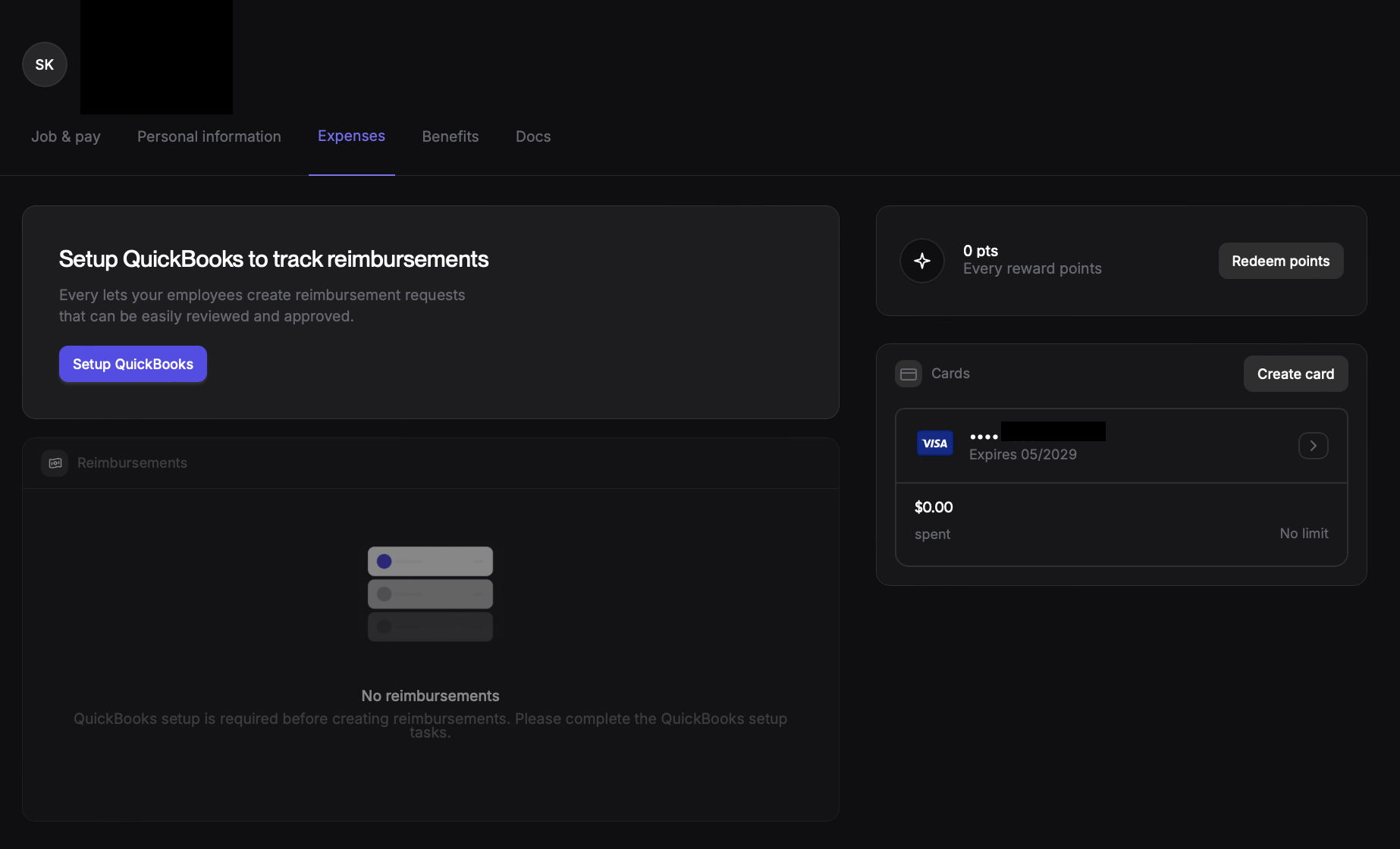
Navigate to the "My Profile Page" page: This can usually be found in your app's main menu or by tapping your profile icon.
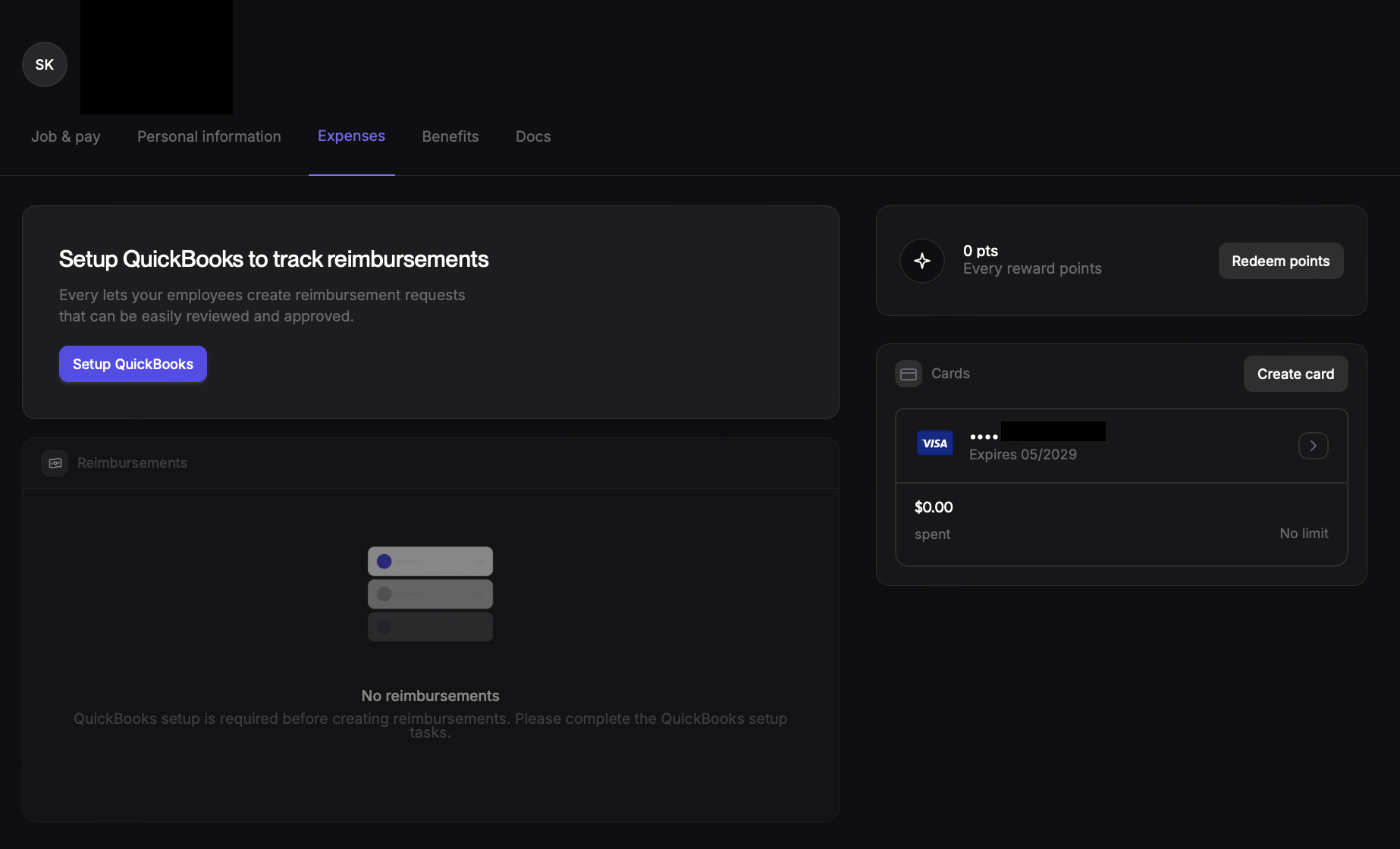
Locate the Expenses Tab: Look for a section displaying your available reward points, typically below your card information.
Click "Redeem Now": Tap the "Redeem Now" button next to your reward points.
Provide bank account information: You may be asked to provide your bank account information for the funds to be transferred.
Confirm redemption: Follow the on-screen instructions to confirm your redemption.
Please note:
Once redeemed, it may take 2-3 business days for the funds to be reflected in your bank account.
If you have any further questions or encounter any issues, please reach out to our customer support team for assistance at support@every.io
Where to find rewards?
Rewards will be available in the Expenses tab of your Profile. You can find them in the Rewards section.
What happens if I entered wrong bank information
Entered the Wrong Bank Information?
We understand that mistakes happen! If you accidentally entered the wrong bank account information and the rewards cash bounced bank to Every account , there's no need to panic. Simply reach out to support@every.io. We will help you reset you bank account information.