Card Creation and Management
Last updated: November 21, 2024
How do I create a corporate debit or credit card?
Go to Cards
Click on Create Card in the top right corner of the screen

How do I add a card to apple wallet?
Go to the card you want to add, and click on it to show the card number
Get your phone, and go to the Wallet app
Click on the "+" button on the top right corner of the screen
Select "Debit or Credit"
With your phone you will take a picture of the card on your laptop screen
How do I set a spend limit on a debit card?
Go to Cards
Hover over the card you want to freeze
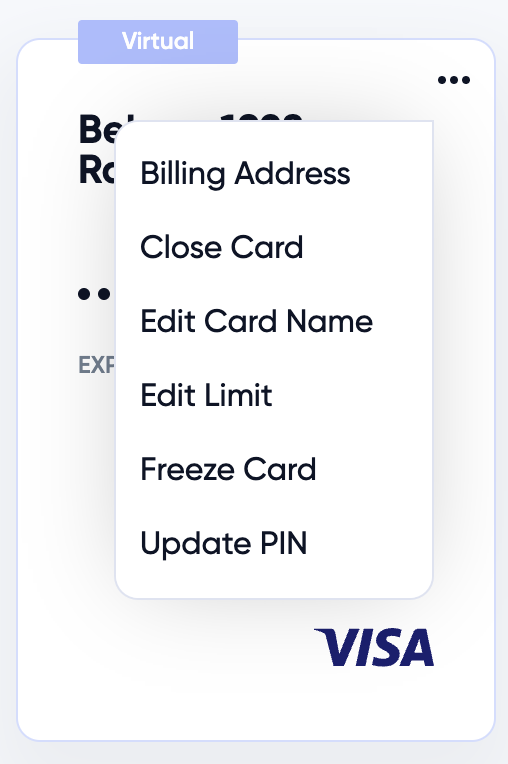
Click on the "..." to access the menu and click Edit Limit
How do I set a PIN on my debit card?
Go to Cards
Hover over the card you want to freeze
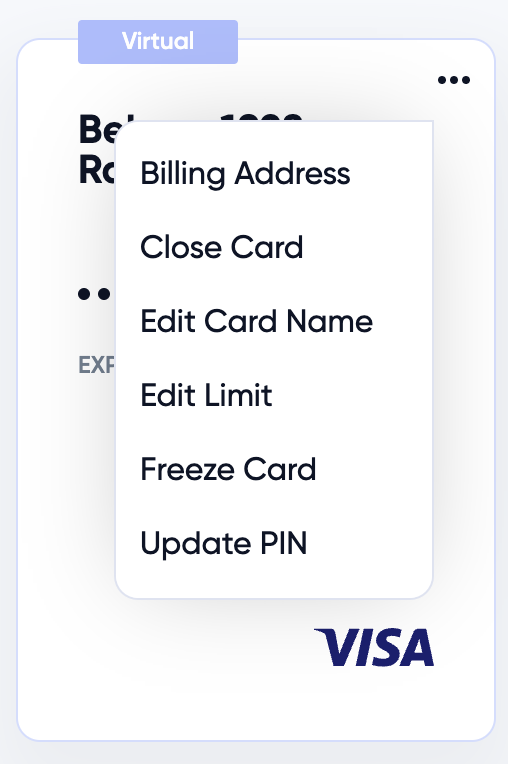
Click on the "..." to access the menu and click Update PIN
How much cashback do I receive when I use my debit card?
.5 point for every $1 in Card purchases if the checking account balance is under $250,000. (Equivalent to .5% cashback)
1 points for every $1 in Card purchases if the checking account balance is between $250,000 and $1,000,000. (Equivalent to 1% cashback)
2 points for every $1 in Card purchases if the checking account balance is over $1,000,000. (Equivalent to 2% cashback)
How do I freeze a debit card?
Go to Cards
Hover over the card you want to freeze
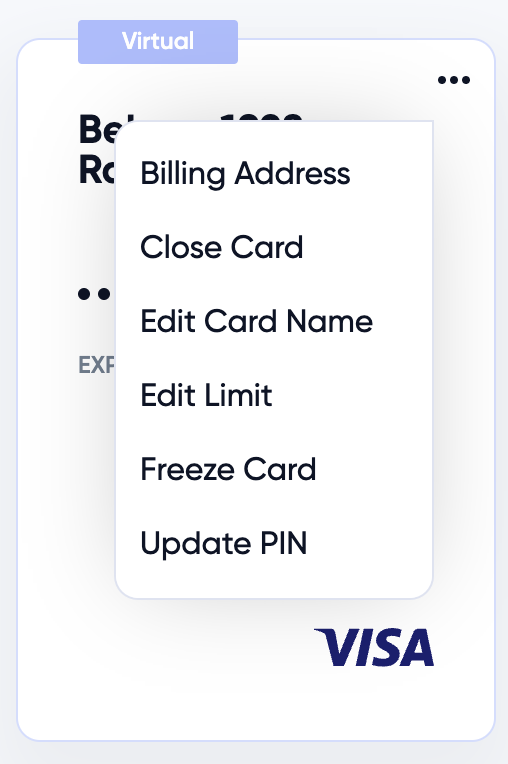
Click on the "..." to access the menu and click Freeze Card
How do I unfreeze a debit card?
To unfreeze a card that has been temporarily locked:
Go to Cards
Hover over the card you want to freeze
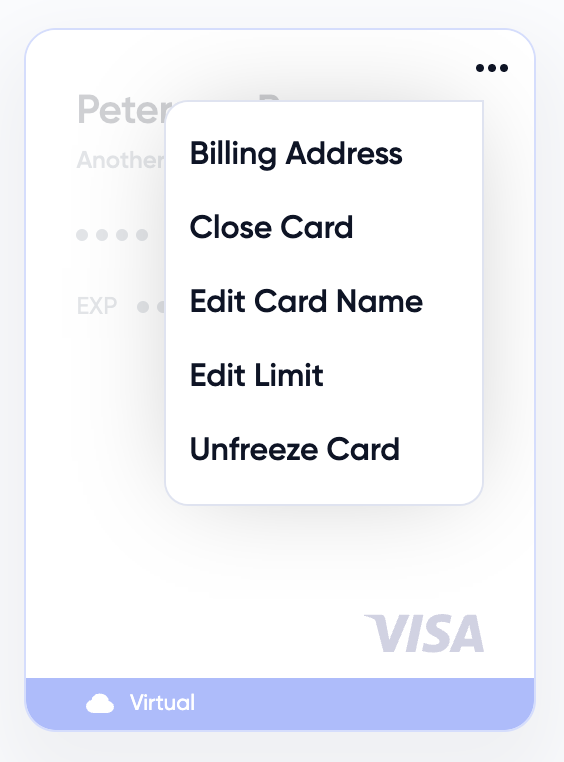
Click on the "..." to access the menu and click unfreeze Card
By following these steps, you can restore access to the frozen card and continue your work.
How to Report Fraudulent Activity
If you suspect fraudulent activity on your account, please take immediate action to report it.
Here's what to do:
Contact Visa: Call the number on the back of your card to report the unauthorized transactions.
Here's how to connect with Visa:
Call 1-833-333-0417.
Select your language.
Choose option #2 for disputes.
Enter the card number, expiry date and date of birth.
Connect with an agent.
Provide your date of birth/ZIP code for confirmation.
Provide transaction information
Initiate a claim.
Once the claim is initiated, a temporary credit will be posted to the account. Visa will send a letter to the card address requesting additional information. If the claim is successful, the temporary credit will become permanent.