How to Make International Transfers Using Your Treasury Account
Last updated: March 11, 2025
How to Make International Transfers Using Your Treasury Account
Overview
You can initiate international transactions using your Treasury account through the payable section. This guide will walk you through the step-by-step process.
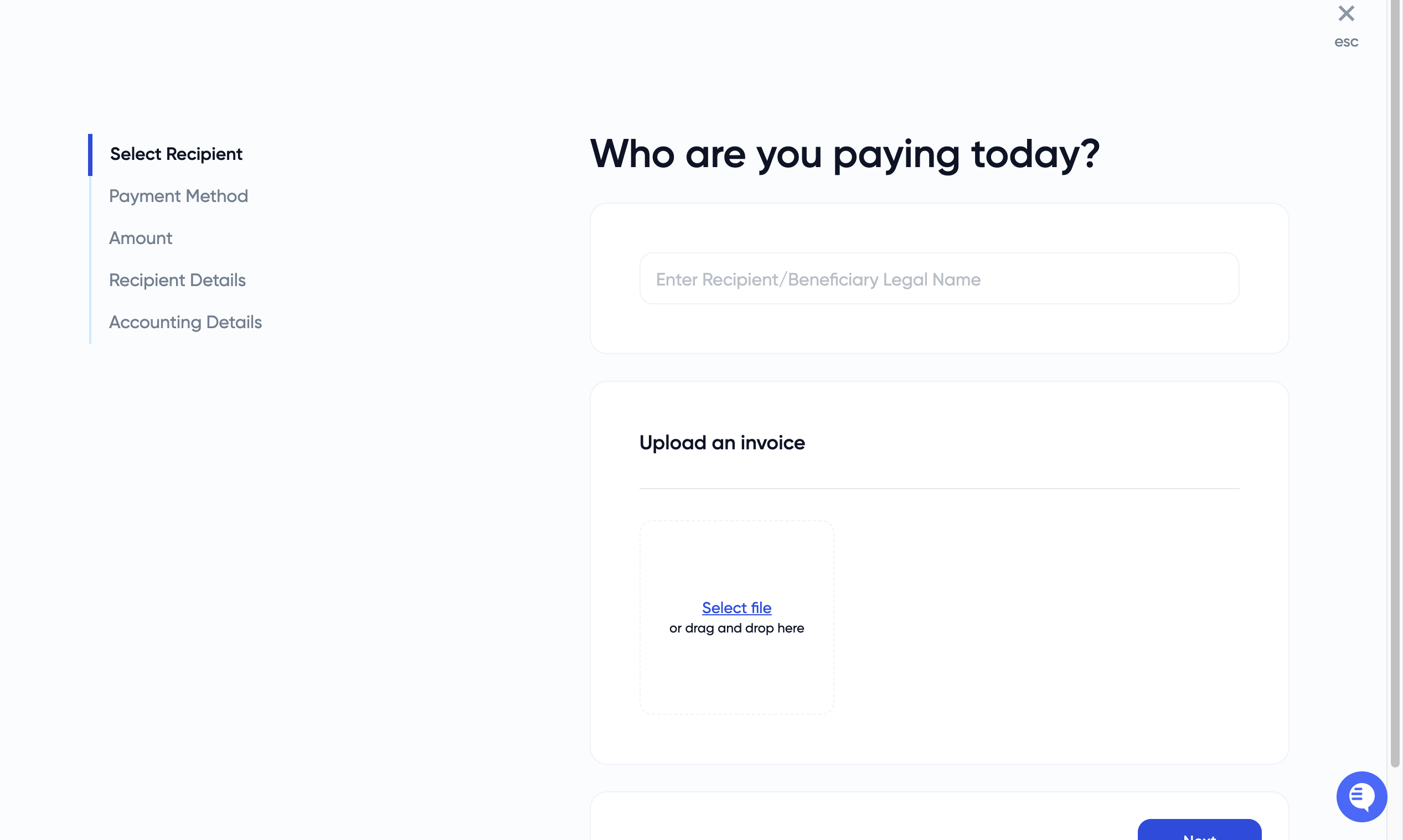
Step 1: Select Recipient
Navigate to the "Pay Bill" section in the Banking> Home page
Enter the beneficiary's legal name in the "Enter Recipient/Beneficiary Legal Name" field
Click "Next"
Step 2: Upload an Invoice
Select "Upload an invoice"
Upload your invoice document (this is used for bookkeeping purposes)
You can either select a file or drag and drop it into the designated area
Step 3: Choose Payment Method
On the "How would you like to pay them?" screen, select "International via Pershing"
Note that this payment method has a variable processing time of 5-7 business days
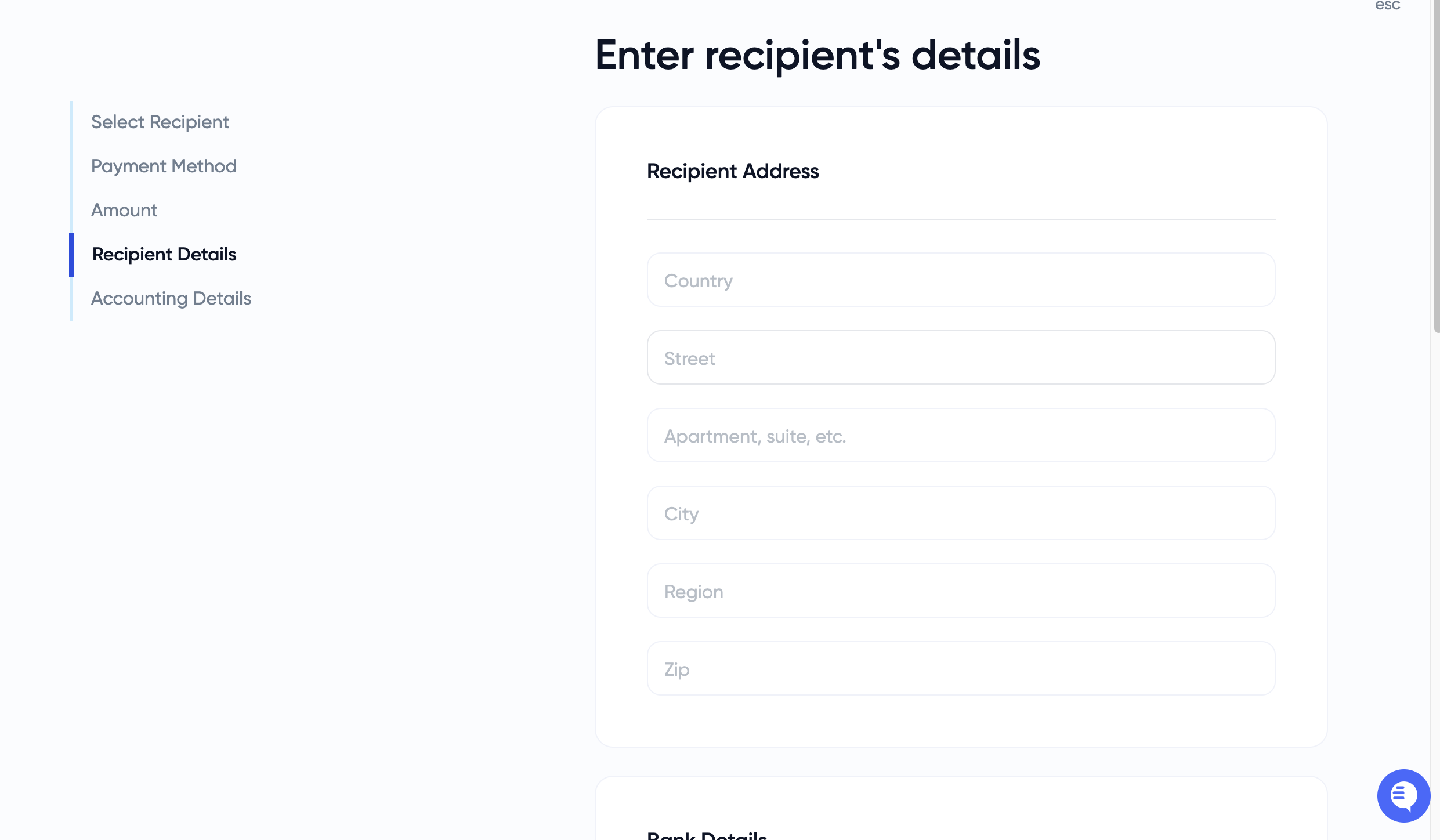
Step 4: Enter Recipient Details
Enter the recipient's complete address:
Country
Street
Apartment/suite/etc. (if applicable)
City
Region
Zip code
Step 5: Provide Bank Details
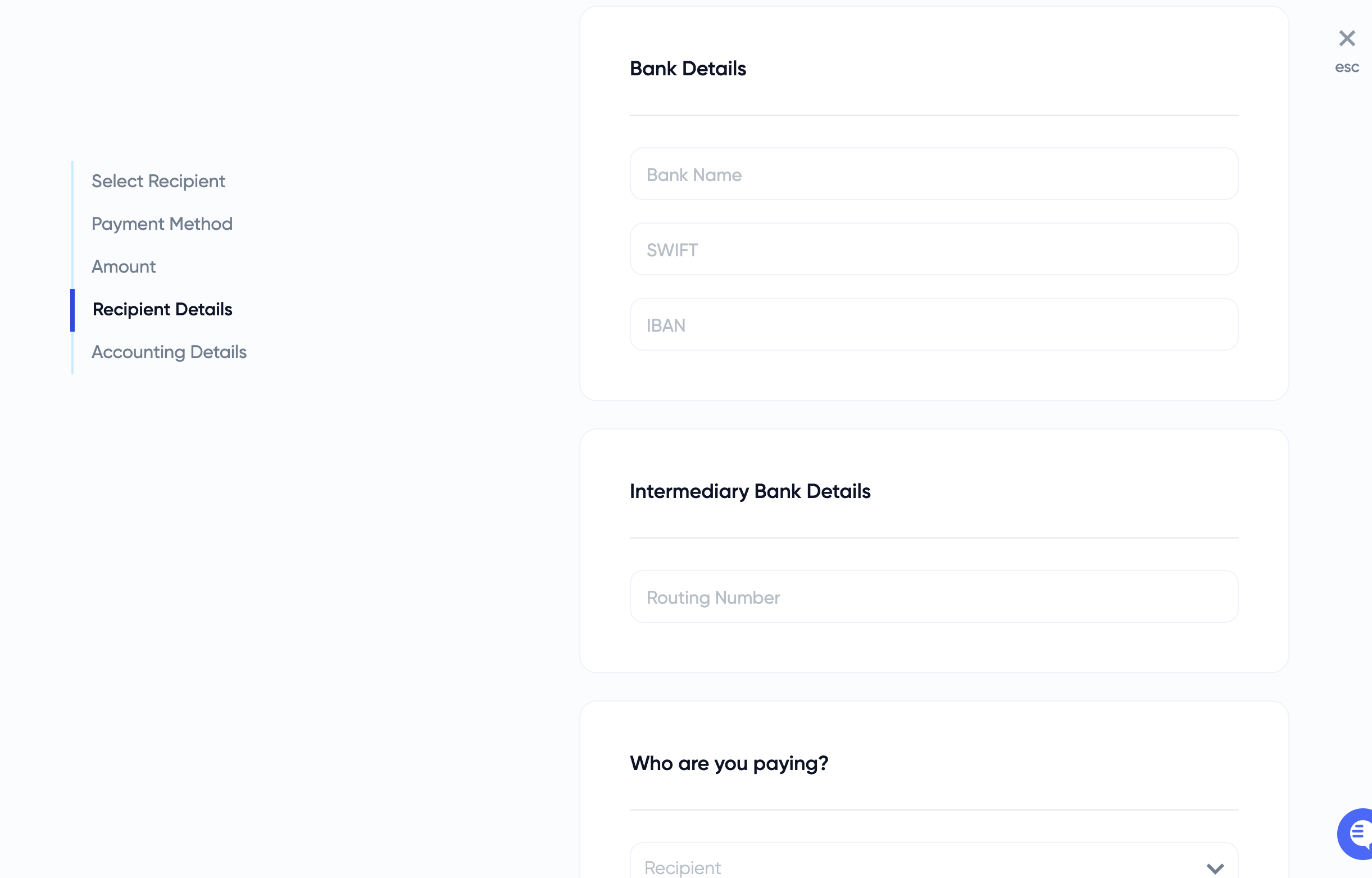
Enter the recipient's bank information:
Bank Name
SWIFT code
IBAN (International Bank Account Number)
Enter the Intermediary Bank Details:
Routing Number (this should be provided by the recipient)
Step 6: Specify Payment Information
Select who you are paying (vendor, contractor, etc.) from the dropdown menu
Add a memo for the recipient if needed
Specify whether you are paying a vendor or transferring to an existing account
Upload an invoice (you may upload the same invoice as before)
Step 7: Finalize the Transaction
Choose "Founder" if you are a founder initiating this transfer
Provide the reason for the payment
Select approvers if required
Initiate the transfer
Important Notes
International transfers typically take 7-8 business days to process and complete
If approvers are designated, they must approve the transaction before it will be initiated
For any questions or issues, contact support at support@every.io
Thank you for using our services!