How to Add Administrators & Grant Permissions
Last updated: April 9, 2026
Company administrators can add new administrators and control what level of access they have across banking and HR features.
Who Can Add Administrators
Only Company Admins can add or manage administrators.
How to Add an Administrator
Step 1: Log in as a Company Admin
You must be logged in with Company Admin permissions to perform this action.
Step 2: Navigate to Administrators
Go to the Settings tab
Click Administrators
Step 3: Click “Add Administrator”
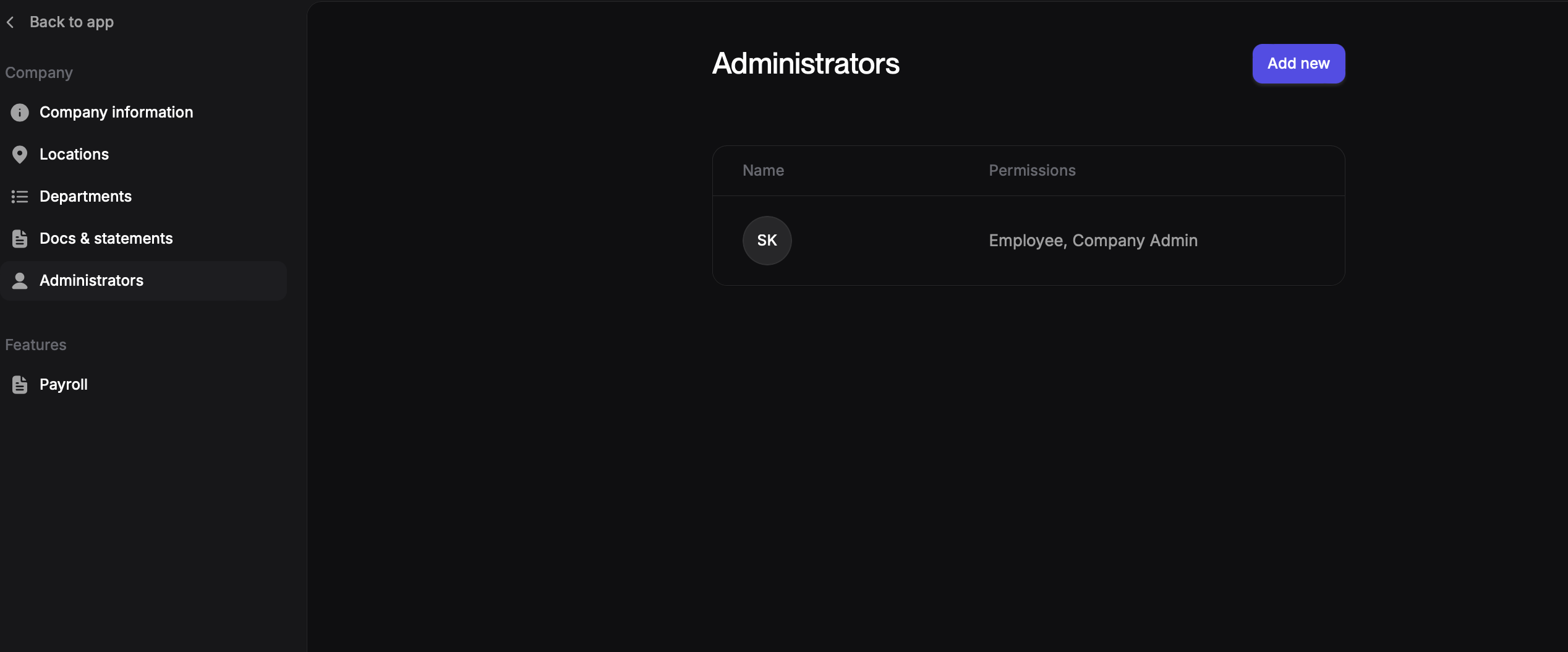
On the Administrators page, click Add New to begin.
Step 4: Choose the Administrator Type
You’ll see two options:
Option 1: Existing Employee or Contractor
Choose this if the person already exists in Every and is visible in the People tab.
Select Employee or Contractor
Search and select the existing user
Option 2: External Third-Party Administrator
Choose this if the person is not already added to your company in Every.
Select External Third-Party Admin
Enter:
First Name
Last Name
Work Email
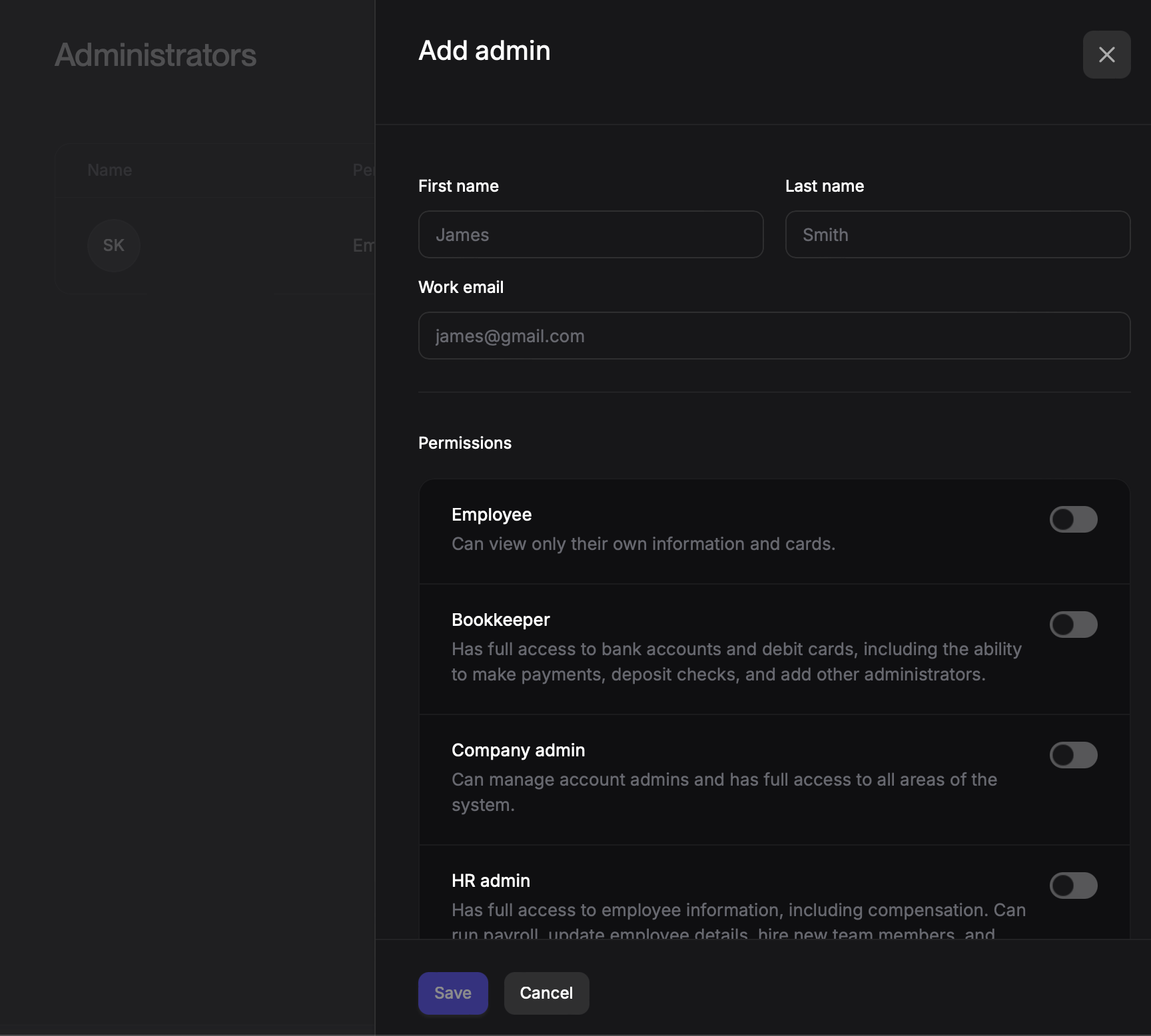
Step 5: Assign Role & Access Level
Select the appropriate role based on the access you want to grant:
Bookkeeper
Access to banking features
Can create payments
Requires approval to send funds
Best for accountants or finance partners who should not move money independently.
Company Admin
Full access to the platform
Can send funds without approval
Can manage settings, users, and administrators
Best for founders or core finance operators.
HR Admin
Access to People, employee, and contractor information
No banking permissions
Best for HR or People Ops team members.
HR Admin + Bookkeeper
Access to People data
Banking access with approval required for sending funds
Best for operators who manage both HR and finance workflows but should not send money independently.
Step 6: Save
Once roles are selected, click Submit to complete the setup.
Summary of Roles
Banking Access | Can Send Funds Without Approval | People / HR Access | |
Bookkeeper | Yes | No | No |
Company Admin | Yes | Yes | Yes |
HR Admin | No | No | Yes |
HR Admin + Bookkeeper | Yes | No | Yes |
Adding a Third-Party Administrator:
Provide Information:
Select the second option to add a third-party administrator, such as an accountant or bookkeeper.
Enter the administrator's name, last name, and work email address.
Choose the Bookkeeper permission level.
Send Invitation:
The system will send an invitation email to the provided email address.
The recipient can use this email to create an account and log in to Every as a third-party administrator.