Setting Up Minimum Balance Autopilot in Every
Last updated: April 9, 2026
Minimum Balance Autopilot helps ensure your Business Checking account never falls below a specified amount. When enabled, funds are automatically transferred from your linked external bank account to maintain your desired balance.
Steps to Enable Minimum Balance Auto Fill
Log in to your Every account.
Navigate to the Banking homepage.
Locate the Business Checking box.
Click the lightning bolt icon on the Business Checking box.
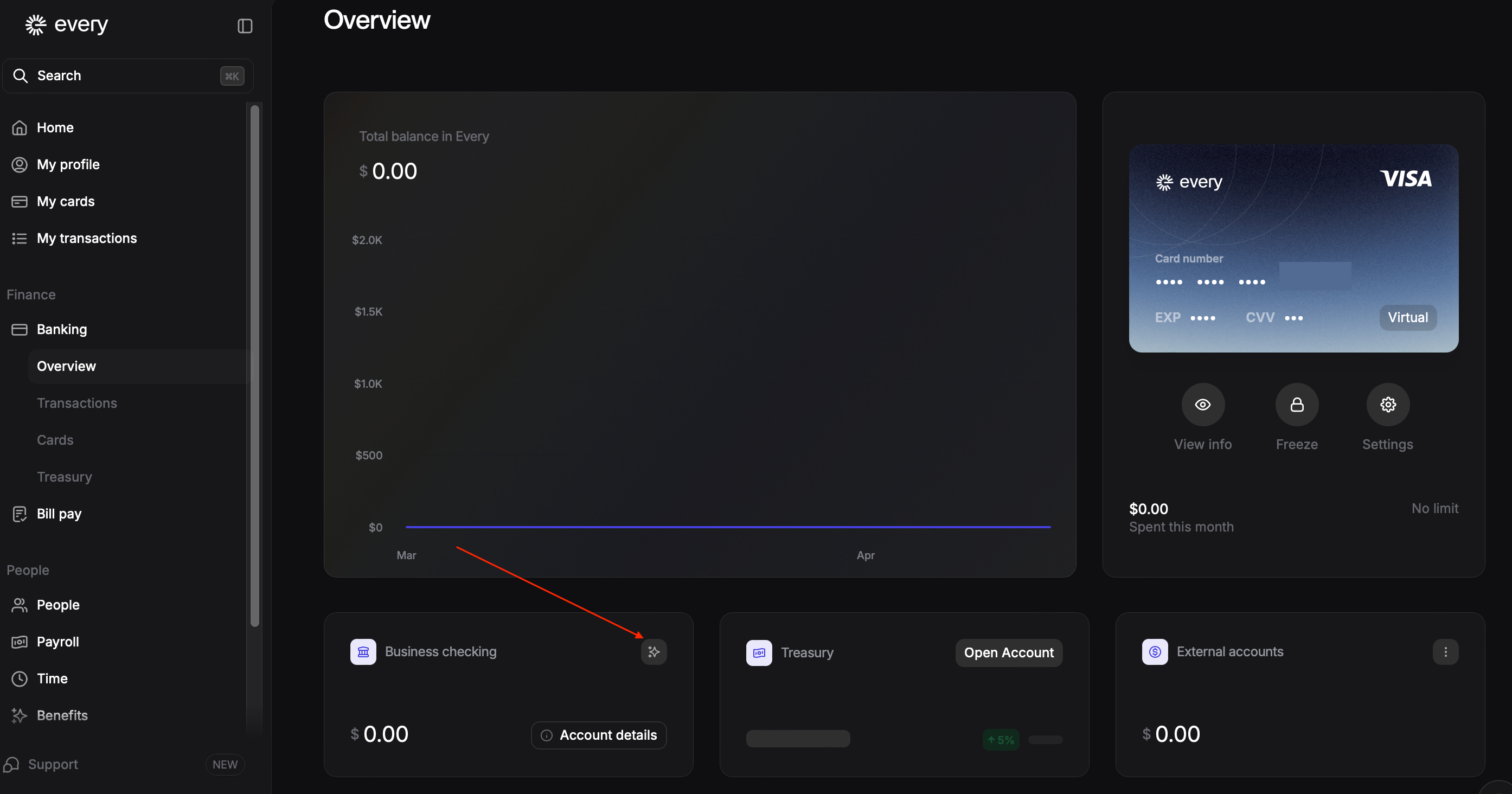
When prompted with "Would you like to enable Minimum Balance Auto Fill and ensure your checking account balance does not fall below a certain amount?", select Yes.
Enter your desired amount in the field labeled "I would like to maintain a minimum balance in my checking account."
If you haven't already linked an external bank account, click Link a Bank Account and complete the connection through Plaid.
Click Proceed to confirm your settings.
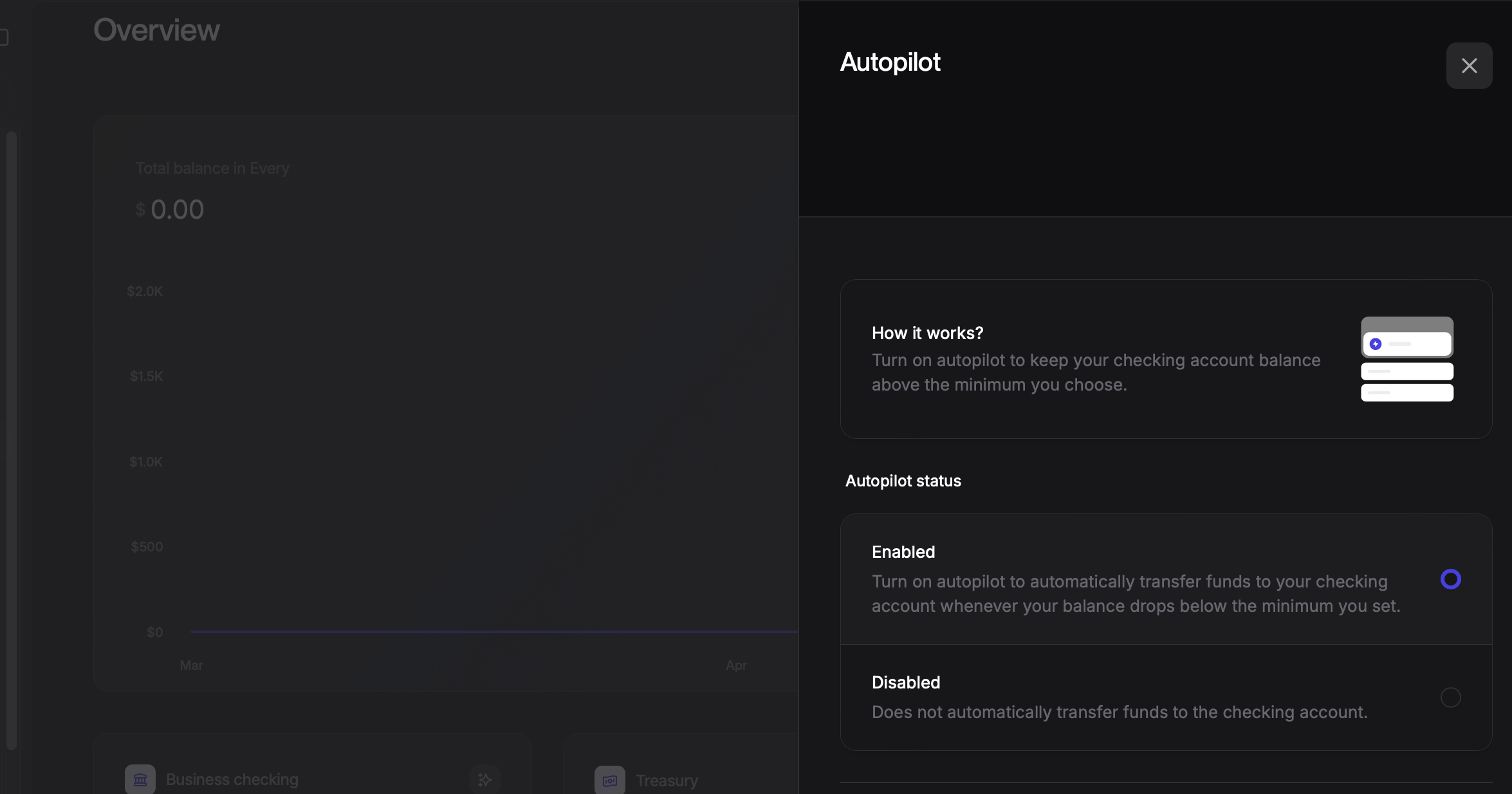
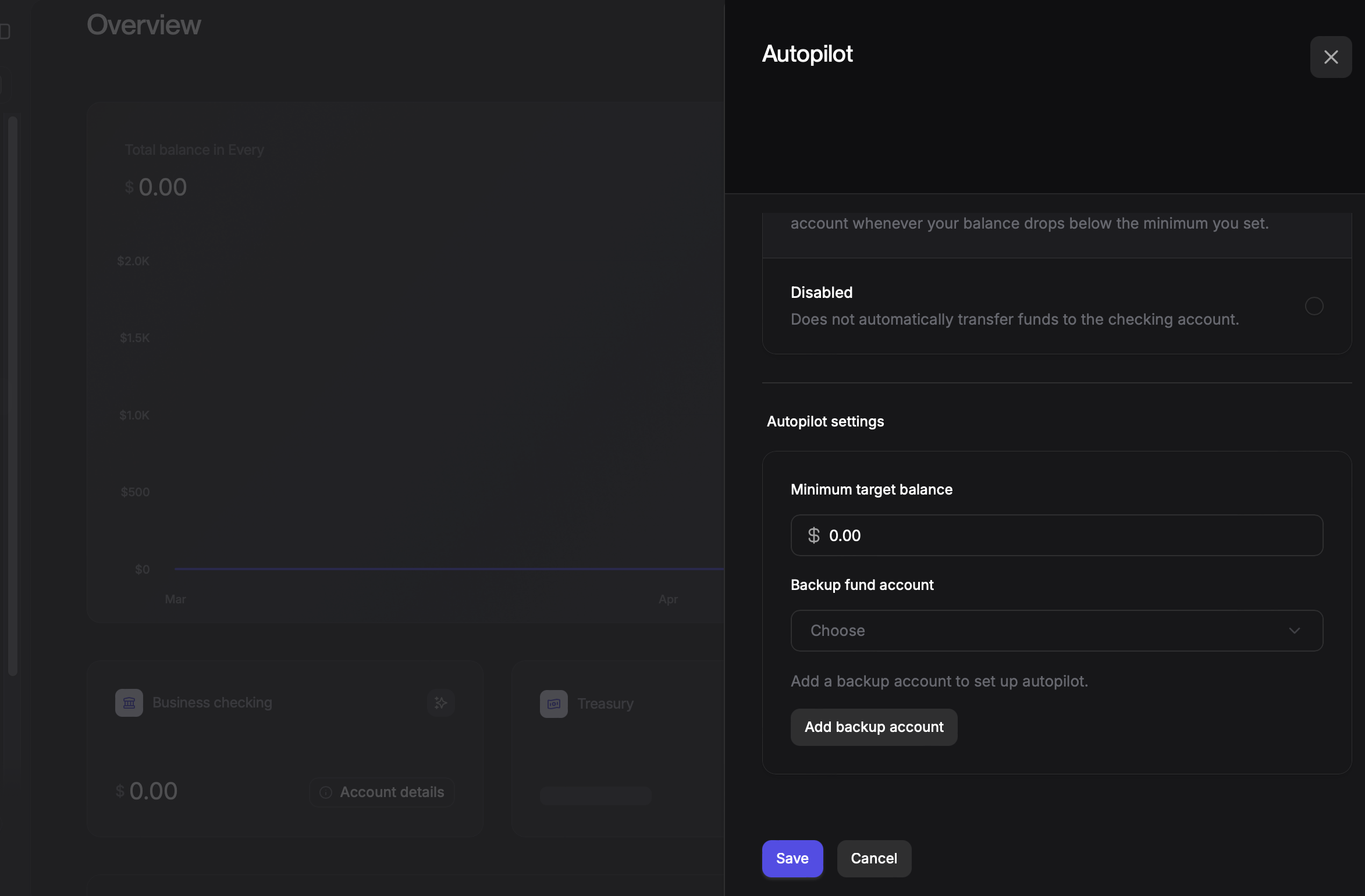
How It Works
Once configured, Minimum Balance Auto Fill monitors your Business Checking account balance. Whenever your balance drops below your specified minimum, funds are automatically pulled from your connected external bank account to restore your target balance.