How do I file 1099s in Every?
Last updated: June 29, 2026
This guide covers who needs a 1099, how to review and update your vendor list, and how to collect W-9 information.
Who do I need to file a 1099 for?
You generally must file a 1099 for any U.S.-based entity paid via ACH or Wire (not via credit/debit card) that is not a C or S Corporation. Key categories include:
Independent contractors
Agencies structured as LLCs
Lawyers (required even if they are C Corps)
Landlords paid directly from your business account
Who does NOT need a 1099? Vendors paid less than $600, vendors paid with a credit or debit card, international vendors, and vendors paid via Every, Gusto, or Rippling (these are filed automatically, so you don't need to add them).
Step 1: Review and update your 1099 vendor list
Every identifies the vendors we believe need a 1099, but we may have missed some that you paid outside of Every. Here's how to add any we missed.
Log in to Every and go to the Vendor page: https://app.every.io/accounting/vendors
Check the banner. A banner at the top of the page lists the Payroll Contractors and Bill Pay Vendors already identified for 1099s.
Identify all US-based contractors, lawyers, or landlords you paid in 2025 and make sure they appear on the banner. If you paid anyone via ACH/Wire through Brex, Mercury, or another bank, you'll need to add them to Every.
Add missing vendors. If a vendor is missing from the banner, scroll down the page and look for that vendor.
When you find a missing vendor on the page, check the "Request 1099" box. This adds them to the banner above and tags them for 1099 processing. Then check the W9 Status column: if it shows "Pending," go to Step 2 to gather more information for that vendor; if it shows "Complete," no further action is needed. If the vendor is missing from the page entirely, go to Step 2 to gather their information.
Step 2: Request W-9s from vendors and enter them in Every
Request a W-9. Ask the vendor to complete IRS Form W-9 and send it back to you.
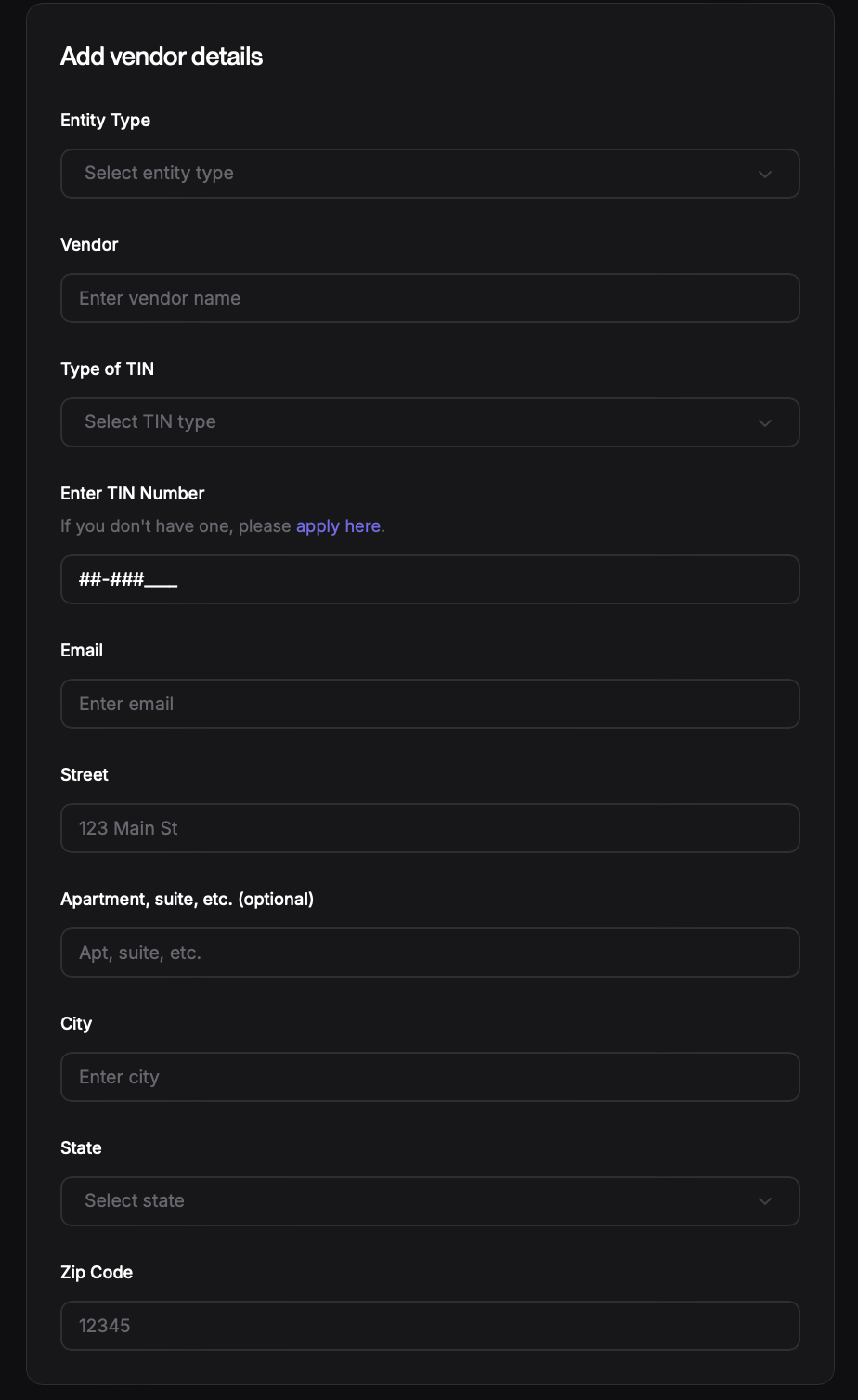
Add the W-9 information in Every. Go to the Vendor page: https://app.every.io/accounting/vendors
If you see the vendor on this page, click the Edit icon and fill out the form you're taken to. If you don't see the vendor, click the "Add Vendor" button in the top-right corner to add them.